Who you work for.
Every client has a color that runs through lists, charts and widgets. Even “Personal” is a client.
Nordwind AG My Time-Tracker
For iPhone, iPad, Mac and Apple Watch
My Time-Tracker records your time by client and project. One tap starts, one tap switches projects, with no gap in between. At the end of the month, you turn it into a timesheet as a PDF.
Free for one client with three projects. In German, English, French and Italian.
01 / Simply structured
No hourly rates, no project plan, no break rules. The app answers one question – where your time goes – and answers it thoroughly.
Every client has a color that runs through lists, charts and widgets. Even “Personal” is a client.
Nordwind AGFavorites are ready on the start screen; everything else is grouped by client, ready to expand.
KundenportalWith a note and tags such as “Meeting” or “Travel” – which you can analyze across all clients.
09:12 – 11:40 · Sitzung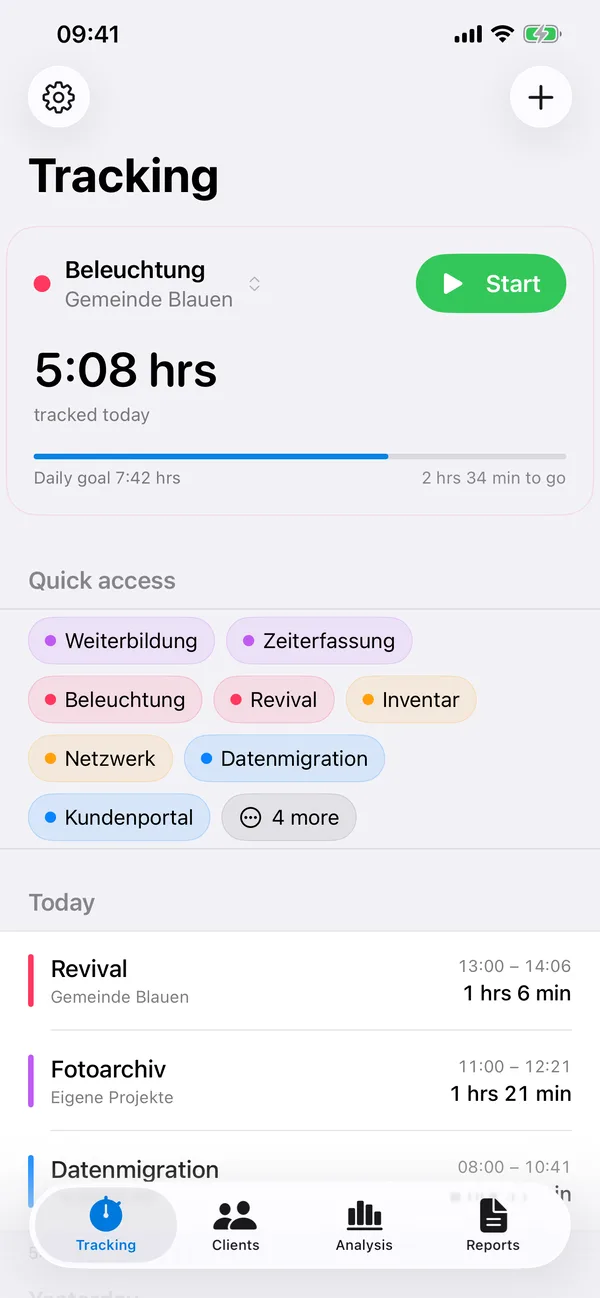
02 / Tracking time
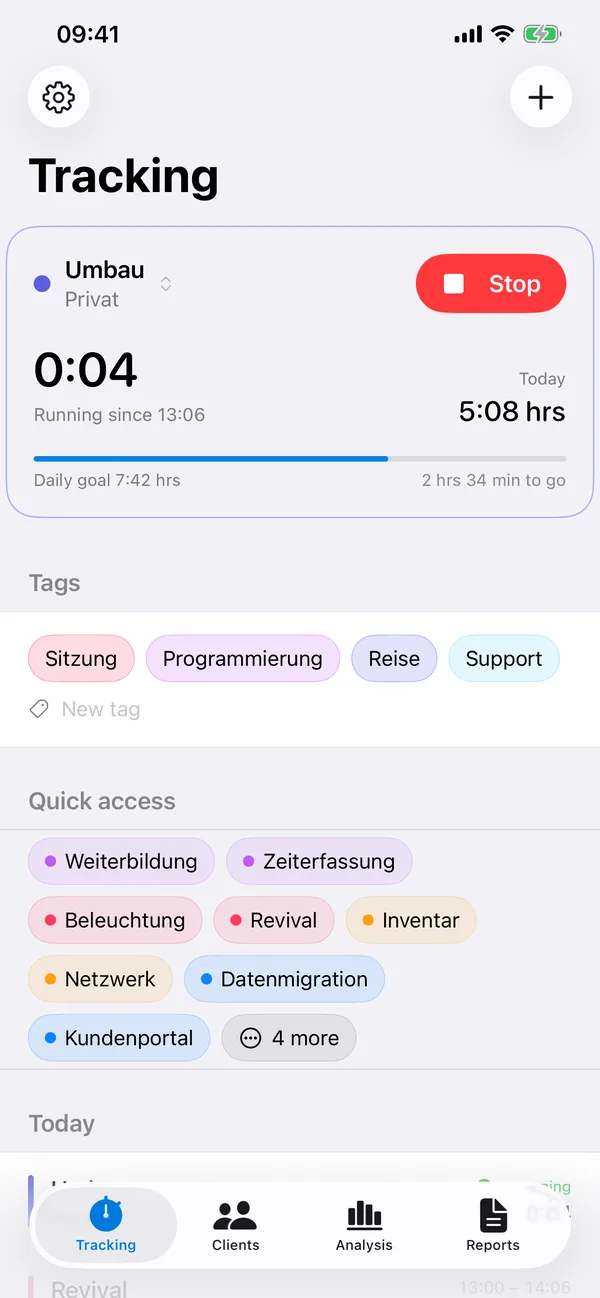
Start begins on the project you used last. Tap a different one mid-run, and the app stops the old entry and starts the new one at the same moment.
03 / Analysis
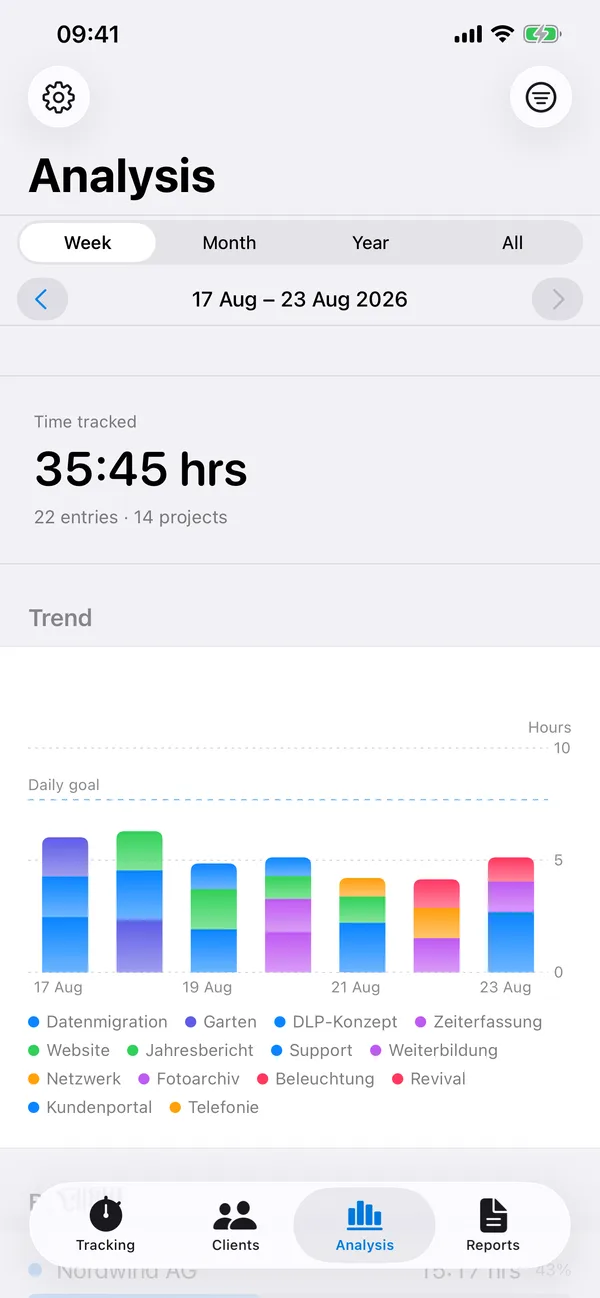
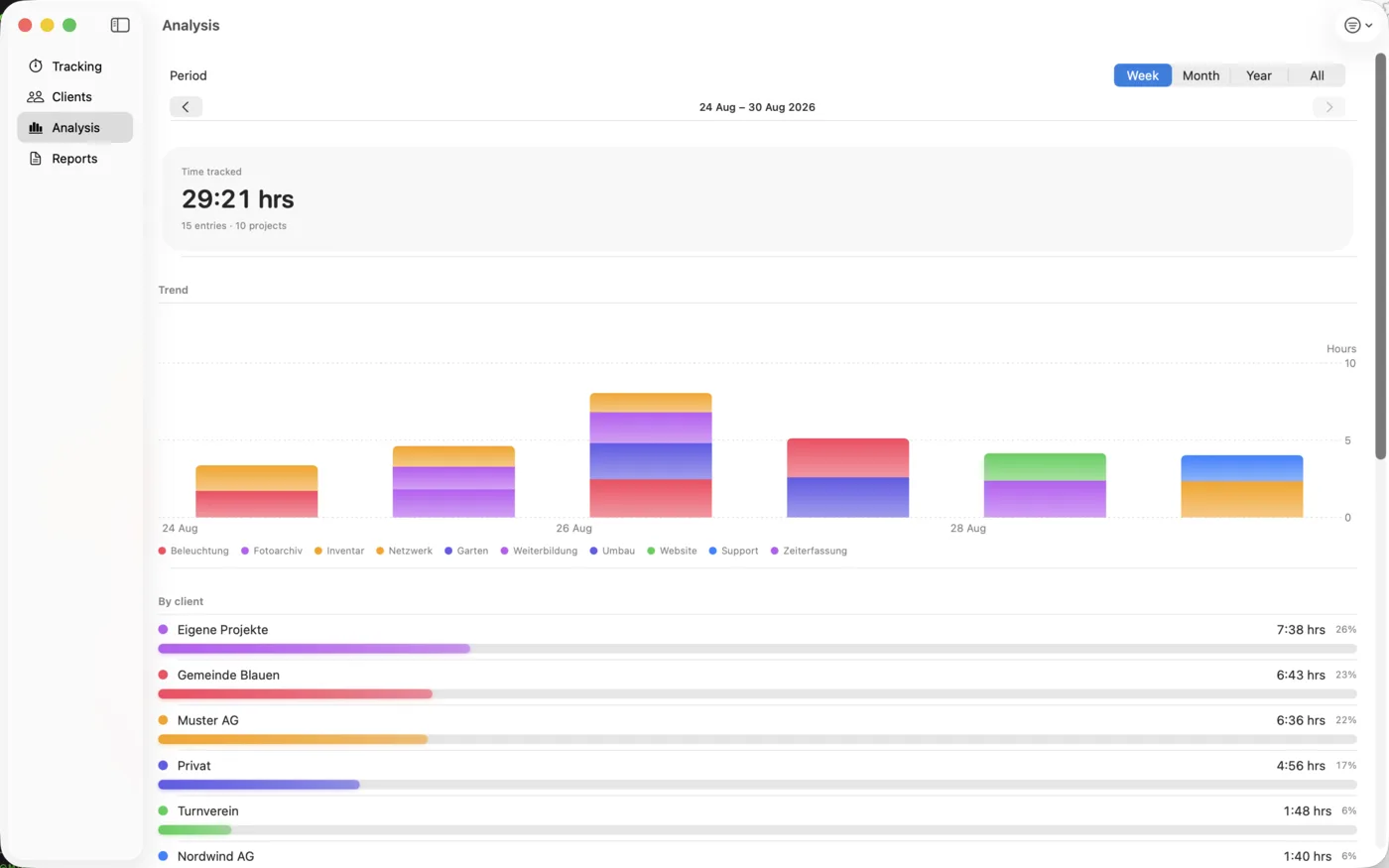
A stacked chart by project, with totals by client, project and tag below – for a week, a month, a year or all of it.
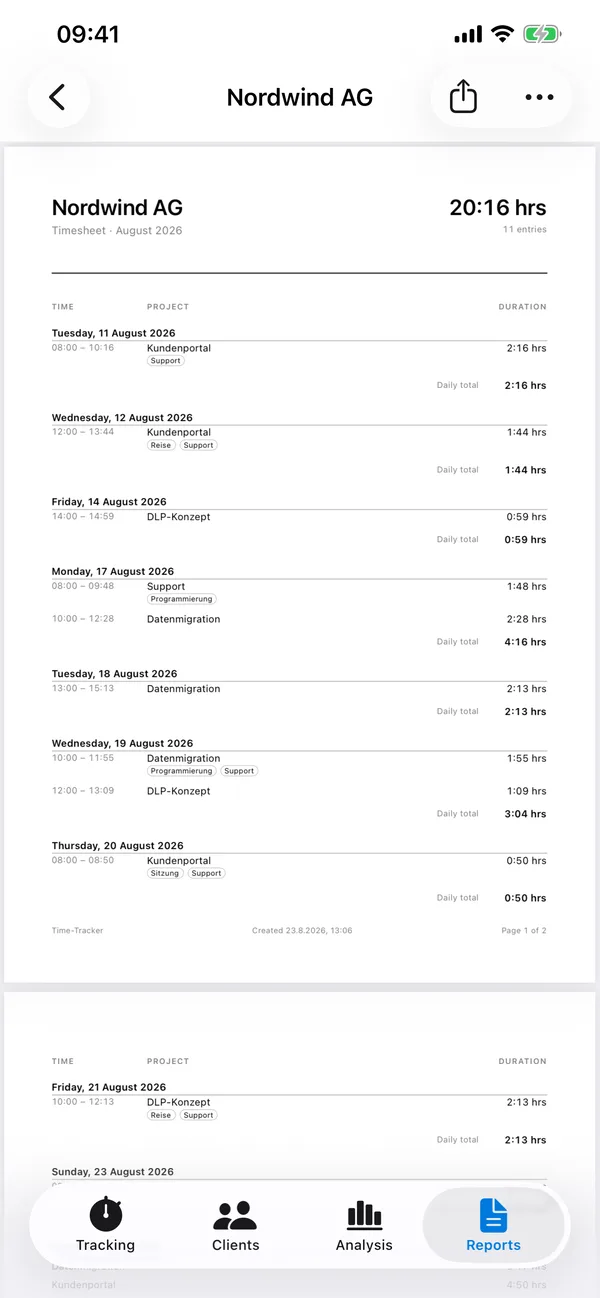
04 / Reports
Choose a company and a period, tap “Create”. Out comes a multi-page PDF with daily totals, notes, tags and a breakdown by project – ready to share via Mail, Messages or Files.
05 / Without opening the app
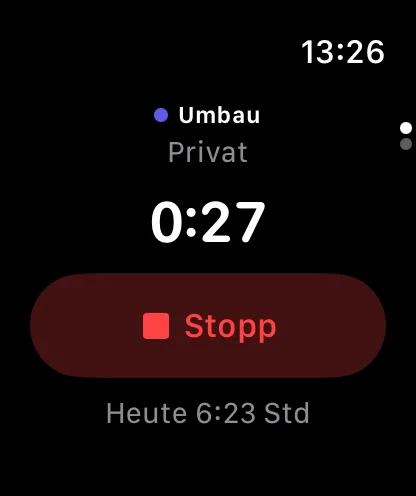
Time is best tracked without thinking about it. That’s why start and stop work from anywhere – even when your iPhone is locked.
06 / On the Mac
On the Mac, My Time-Tracker runs as a menu bar app: the running time in the top right, one click to start, stop or switch. You open the full window with analysis and reports when you need it. Everything syncs with iPhone, iPad and Watch in seconds.
07 / Free and Unlimited
Nothing is hidden behind a paywall – only the number of clients and projects is limited.
CHF 0
CHF 9 in Switzerland, one-time, no subscription
08 / Frequently asked questions
Settings › Action Button › Shortcut › My Time-Tracker › “Toggle Time”. One press starts or stops tracking for the project you used last – even when the device is locked.
Sync runs through your private iCloud database. Both devices must be signed in to the same Apple Account and have iCloud Drive turned on. The app shows the status under Settings › Data › Data store.
No. Since version 1.1 it goes to the trash (Settings › Trash), where you can restore it. Right after deleting, “Undo”, a shake or ⌘Z is enough. It is deleted permanently after a period you choose yourself – the default is 30 days.
That’s intentional: it keeps the daily totals correct. You can turn the split off under Settings › Tracking.
The Apple Watch doesn’t write entries itself; it sends the command to the iPhone. If the iPhone is out of range, the command is delivered with its timestamp as soon as the connection is back.
Settings › Data › Export CSV file. The file opens in Numbers or Excel. For clients, there are also the timesheets as PDF.
Settings › Unlimited › Restore Purchase. The purchase is tied to your Apple Account and covers iPhone, iPad and Mac.
09 / Contact
A human replies, not a form – usually within a few days. It helps to mention your device, system version and what you did right before. How the app handles your data is described under Privacy.